WHAT DEVELOPERS SEE
WHAT YOU RUN
Dev environments that just work.
WHAT DEVELOPERS SEE
WHAT YOU RUN
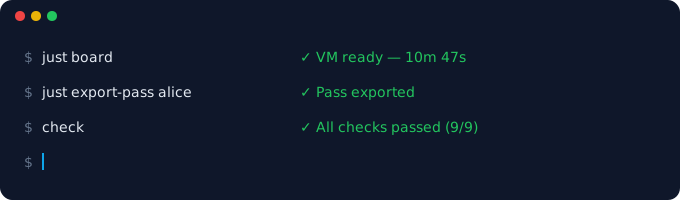
Run just board. An interactive wizard spins up an Azure
VM with your tools, repos, Docker services, and health checks —
all verified before you touch it.
Export an encrypted board pass. One file bundles connection credentials, host config, and project metadata. Share it over Slack, email, whatever.
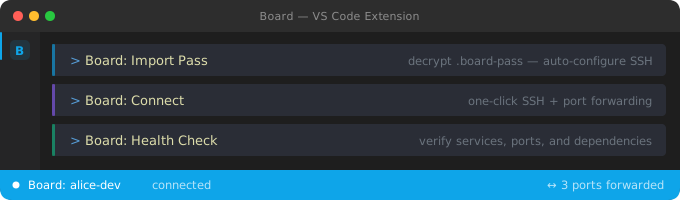
The developer imports the pass in VS Code and clicks Connect. Ports forwarded, workspace configured, services running. They're coding.
A real recording of just board provisioning a cloud environment — text is selectable, not a GIF.
Same manifest, same VM, same tools. No drift between developers. No "works on my machine."
Systemd, Docker-in-Docker, persistent disk. Real Linux — not a container pretending to be a machine.
One manifest per project, version-controlled alongside your code. The manifest IS the documentation.
Run check to validate your entire stack. Same checks run during setup and daily work.
Postgres, Redis, whatever you need. Declared in the manifest, running on boot.
Tasks, launch configs, port forwarding, and status bar — all generated from your manifest.
Fleet status, secret rotation, credential sharing, and an admin menu. Not just setup — ongoing ops.
Runs in your Azure subscription. No vendor lock-in, no SaaS bill. Apache 2.0 licensed.
Environments stop at 7 PM to save costs. Your work persists — start again tomorrow.
Three commands to a fully provisioned cloud environment.
git clone https://github.com/barney-w/board.git
cd board
just board